Critical PHP Security Issue: What Website Owners Should Do
The NCSC has warned UK organisations about two critical PHP vulnerabilities. Here’s what the issue means for websites and the steps owners should take now.
Article Summary
The NCSC has warned UK organisations about two critical PHP vulnerabilities. Here’s what the issue means for websites and the steps owners should take now.
The National Cyber Security Centre (NCSC) has urged UK organisations to act on a critical security issue affecting PHP, the server-side software used by WordPress and many other websites and applications. PHP published security updates on 21 October 2026 for two vulnerabilities, CVE-2026-109618 and CVE-2026-109619.
In certain circumstances, the flaws could allow an unauthenticated attacker to run commands on an affected web server. The issue is in PHP itself, so updating WordPress themes and plugins alone does not install the PHP security fix. Any organisation running PHP should identify where it is in use and check that the relevant fix has been applied.
Who needs to check their website?
The NCSC says organisations using any version of PHP should update to the latest fixed version. Start with internet-facing websites and services, but remember PHP can also be used by other applications, internal systems, and products that bundle it. A WordPress site is one example; it is not the only kind of PHP system that may need attention.
The PHP project lists fixes in versions 8.5.12, 8.4.27, 8.3.36 and 8.2.35. Hosting providers and Linux distributions may deliver fixes as vendor packages or backports, so the version number shown by a website alone may not tell the whole story. Check your provider’s security notice or ask them to confirm that the fix for both CVEs is installed. Older PHP versions that are no longer supported by the PHP project should be moved to a supported, patched version; some vendors may provide their own backported fixes.
What should you do now?
Ask your hosting provider which PHP version and security updates your website is using, and confirm that both CVE-2026-109618 and CVE-2026-109619 are addressed.
If you manage the server, identify all PHP systems, prioritising those reachable from the internet, and apply the latest fix recommended by your PHP vendor or operating-system provider.
If you cannot update immediately, consult the PHP Foundation’s temporary mitigations and your provider. These reduce exposure but are not a replacement for applying the security update.
If neither updating nor applying mitigations can be done promptly, the NCSC advises considering taking the system offline until it can be fully mitigated.
If you cannot update or disable the system straight away, assess it for signs of compromise before upgrading or applying mitigations. Get specialist incident-response help if you are not confident carrying out that assessment.
How CoreTechnics can help
We can help check your website and hosting setup, review WordPress plugins for known vulnerabilities, explain what we find in plain English, and move your site to secure hosting. We can also host other PHP websites and projects.
We’re making extra time over the next few days for urgent website moves. We can usually begin a migration and initial security checks within a few hours of first contact, depending on the website and the access available. To get started, you’ll need access to your WordPress website and your domain name. Please don’t send passwords through the contact form.
We’ll review your current hosting costs and do our best to match or beat them. Hosting prices depend on what your website needs and are subject to our minimum hosting price; we’ll confirm the cost before proceeding.
Need help securing or moving your PHP website?
Tell us what you need and we’ll help you work out the next step.
Information in this article reflects the NCSC and PHP guidance available on 22 October 2026. Follow your hosting provider’s current instructions for your specific server and PHP package.
Questions About PHP Security
Common Questions Answered
Clear answers about how we work as a company
Answers to common planning, infrastructure, and delivery questions related to this article.
PHP Security & Hosting Support
Need help checking or moving your PHP website?
We can review your PHP hosting setup, check WordPress plugins for known vulnerabilities, and help move your site to secure hosting.
Does this PHP security issue affect WordPress websites?
A WordPress website runs on PHP, so its PHP runtime needs to be checked and patched. Updating WordPress core, themes and plugins does not by itself update the PHP runtime managed by the server or hosting provider.
What are CVE-2026-109618 and CVE-2026-109619?
They are the identifiers for two PHP vulnerabilities addressed by the security updates announced on 21 October 2026. The NCSC says that in certain circumstances the issue could allow an unauthenticated attacker to run commands on an affected web server.
What should I ask my hosting provider?
Ask which PHP version and vendor package your website uses, whether the fixes for both CVEs have been applied, and whether any action is needed from you. Vendors may backport security fixes, so the displayed version number may not match an upstream PHP release exactly.
Can CoreTechnics help check or move my website?
Yes. We can review your PHP hosting setup, check WordPress plugins for known vulnerabilities, explain our findings, and help migrate websites to secure hosting. Timing depends on the website and the access available.
What do I need to get started with a WordPress migration?
You will need access to your WordPress website and your domain name. Do not send passwords through the contact form; we will guide you through a secure way to provide any access needed.
Related Insights
More Articles Worth Reading
Explore more guidance from the CoreTechnics team across planning, infrastructure, hosting, and product delivery.
Game Hosting
Dedicated Game Server Hosting: What It Is and When You Need It
A guide to dedicated game servers, why they matter for online games, and how hosting choices affect reliability, latency, fairness, and scalability.
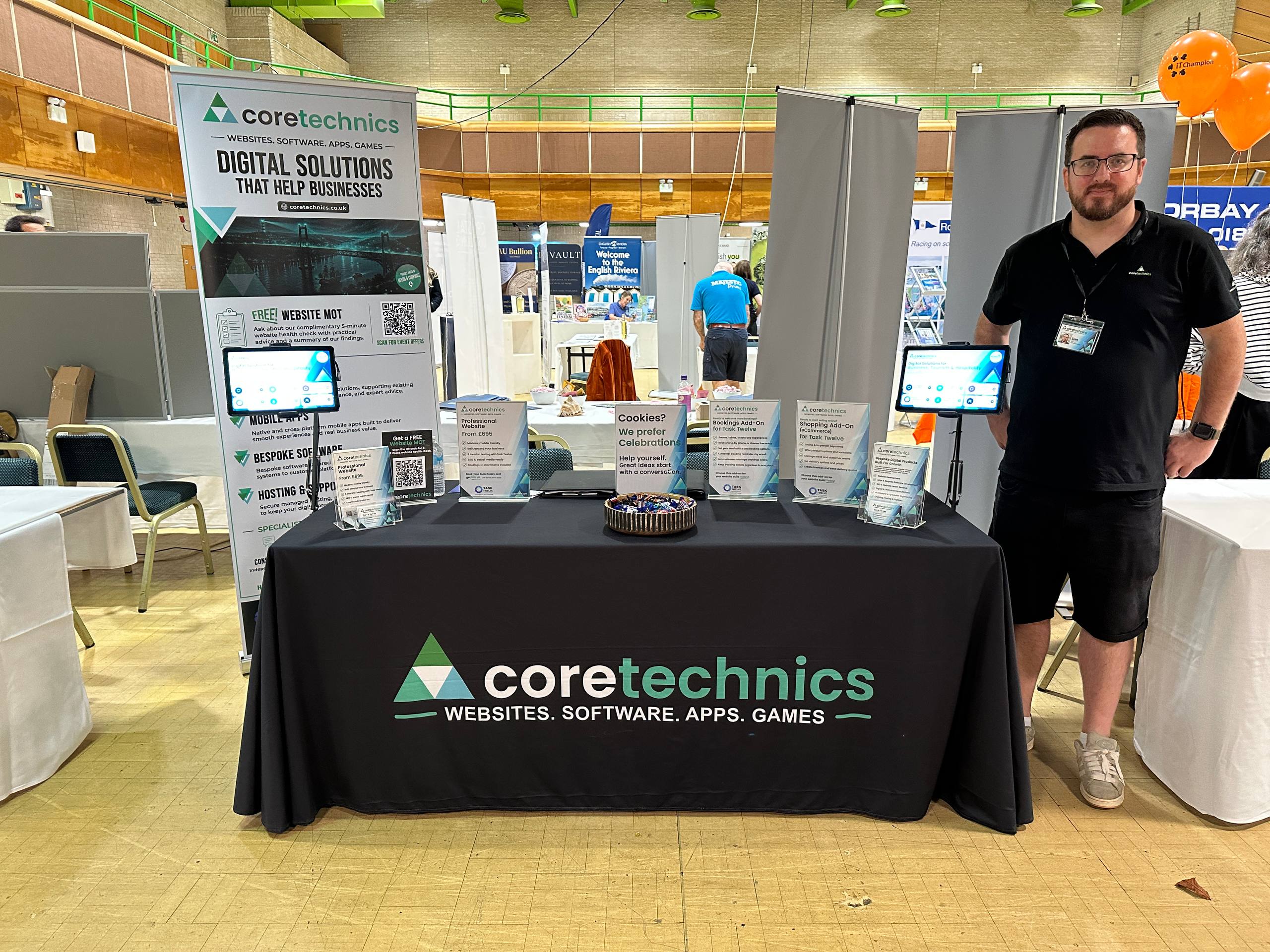
From the networking breakfast to packing away at the end of the day, Riviera Connect was full of warm conversations, new connections and brilliant local people.
Company NewsNetworkingSouth Devon
🕑 3 min readContact CoreTechnics
Read ArticleCTDigital Product SpecialistsCoreTechnics Team
Start Your Project
Tell us what you need.
We'll take it from here.
Get a fast response with the right advice, quote or support, tailored to you.